
Alex is a co-founder of Sprintlaw. Alex previously worked at a top-tier firm as a lawyer specialising in technology and media contracts, and founded a digital agency which he sold in 2015.
Contents
If you run a small business, workplace surveillance can feel like a practical no-brainer. You want to protect stock, keep customers and staff safe, prevent time theft, and make sure business systems aren’t being misused.
But workplace surveillance in New Zealand isn’t just a “set and forget” security decision. It’s a legal and people-management issue too - and if you get it wrong, you can end up with privacy complaints, employment disputes, damaged trust in your team, or evidence you can’t use when you actually need it.
Below, we’ll walk through the key legal points employers should understand about workplace surveillance in New Zealand, including CCTV, call recording, GPS tracking, and monitoring of emails and devices.
What Counts As Workplace Surveillance (And Why It Matters Legally)?
“Workplace surveillance” is a broad term. In practice, it usually means any method you use to observe, monitor, record or track workers (or their actions) in connection with work.
Common examples include:
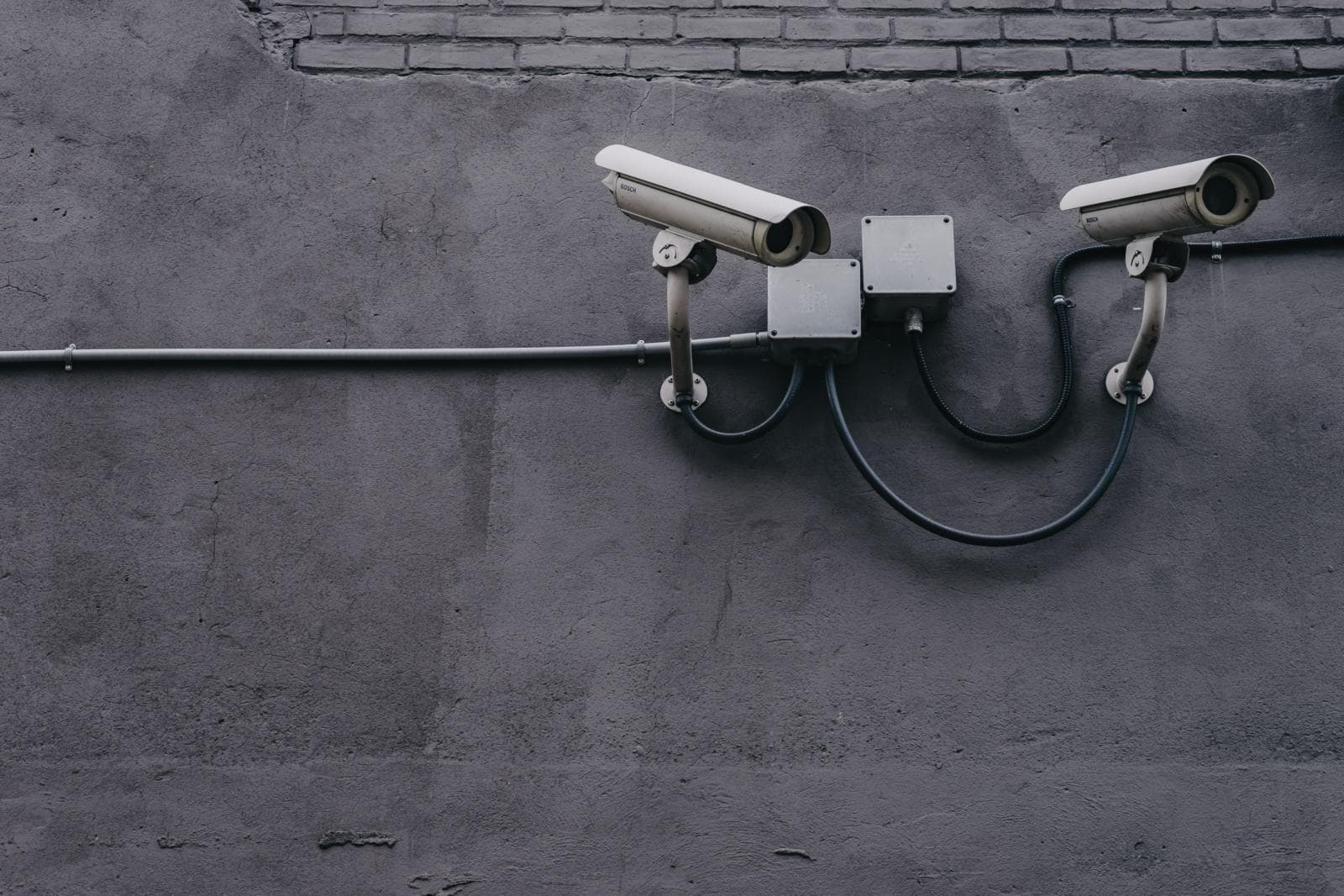
- CCTV or video surveillance in stores, warehouses, offices, staff areas, or vehicles
- Audio surveillance, including call recording or recording meetings
- GPS tracking of work vehicles or devices
- Monitoring computer use (internet browsing, email, logins, activity logs, downloads)
- Device monitoring on work phones/laptops (including remote wipe or mobile device management tools)
- Biometric systems (eg fingerprint or facial recognition for access control or timekeeping)
This matters legally because most workplace surveillance involves personal information. In New Zealand, personal information is any information about an identifiable individual. If your surveillance identifies, records, or can reasonably be linked back to a staff member, it will often be personal information.
Once you’re collecting personal information, you need to think about (among other things):
- The Privacy Act 2020 (especially around collection, notice, storage, access requests, and security)
- Employment law expectations (good faith, fairness, and having clear policies and processes)
- Health and safety obligations (if surveillance is part of managing safety risks)
If you’re considering cameras, it’s worth reading Are Cameras Legal In The Workplace alongside your planning - it’s a common starting point for employers.
Which Laws Apply To Workplace Surveillance In New Zealand?
There isn’t one single “Workplace Surveillance Act” in New Zealand that covers every situation. Instead, your obligations usually come from a combination of privacy and employment principles.
The Privacy Act 2020 (Core Compliance)
For most small businesses, the Privacy Act 2020 is the key legal framework for workplace surveillance in New Zealand. In plain terms, it affects:
- How you collect personal information (including when and why you record staff)
- Whether you’ve told people what you’re collecting and why
- Whether your collection is necessary for a lawful purpose (and not overly intrusive)
- How you store and protect recordings or logs
- How long you keep surveillance records
- How you respond if a staff member asks for access to their information
In many workplaces, your Privacy Policy and internal privacy processes do a lot of heavy lifting here - not just for customers, but also for employee-related information.
Employment Relations Act 2000 (Good Faith And Fair Process)
Even if surveillance is “legal” from a privacy angle, the way you use it in an employment context can still create risk.
Employment relationships in New Zealand are built on good faith. That generally means you should:
- be open and communicative (especially about rules and expectations)
- not mislead or deceive your employees
- act fairly, including when investigating issues or disciplining staff
So if you’re planning monitoring for performance, investigating misconduct, or relying on surveillance evidence in a process, you’ll usually want a clear paper trail, transparent policies, and a fair approach.
Health And Safety At Work Act 2015 (Safety Purposes)
Surveillance sometimes forms part of a health and safety system - for example, cameras in a high-risk warehouse to investigate incidents, or GPS to support lone-worker safety.
If you’re using surveillance as part of managing safety risks, that can strengthen the “why” behind it. But it doesn’t cancel your privacy obligations - you still need to be careful about proportionality, notice, access, and security.
What Are The Key Privacy Principles Employers Should Follow?
When we help small businesses with workplace surveillance, the biggest problems usually come from one of two things:
- surveillance was introduced without a clear purpose or policy, or
- surveillance is broader than it needs to be (eg monitoring “just in case”)
To keep your approach practical and compliant, these privacy principles are a good baseline.
1. Have A Clear Purpose (And Make Sure It’s Legitimate)
Before you install cameras or turn on monitoring tools, write down the purpose in plain English. For example:
- preventing theft or damage to property
- protecting staff and customers (security and safety)
- managing access to restricted areas
- ensuring safe driving of company vehicles
- investigating a specific incident
Vague purposes like “keeping an eye on staff” are where you can quickly run into trouble.
2. Collect Only What You Need (Proportionality)
In practice, this looks like choosing the least intrusive option that still achieves your goal.
For example:
- If the issue is stock loss at the till, focus CCTV on entry/exit points and point-of-sale areas - not staff break rooms.
- If you want to manage vehicle routes, GPS location may be enough - you may not need constant driver-facing video.
- If you want to protect systems, monitoring security logs may be enough - you may not need to read the content of personal emails.
3. Tell People What You’re Doing (Transparency)
As a general rule, secret monitoring is high-risk. In most cases, employers should treat transparency as the default unless you have a very specific, clearly justified reason to do otherwise (and even then, it’s worth getting advice first).
Good transparency usually includes:
- signage for CCTV (where appropriate)
- written policies explaining what is monitored, when, and why
- clear rules about business devices, systems, and acceptable use
- training or onboarding so staff understand how it works day-to-day
This is where an Employee Privacy Handbook and a clear Workplace Policy can make a real difference - it keeps expectations aligned and reduces misunderstandings.
4. Store It Safely And Don’t Keep It Forever
Surveillance records can be sensitive - and if they leak, the fallout can be serious. You should think about:
- access controls: who can view footage/logs and under what circumstances?
- security: secure passwords, 2FA, locked storage, reputable providers
- retention periods: keep footage/logs only for as long as you need (many businesses use short default retention unless an incident occurs)
- deletion processes: consistent deletion and secure disposal
5. Be Ready For Access Requests
Staff can request access to personal information you hold about them, and that can include CCTV footage or monitoring logs (depending on what it captures and who else appears in it).
In general, you need to respond to an access request within the Privacy Act timeframes (usually as soon as reasonably practicable, and no later than 20 working days, unless an extension applies). That doesn’t always mean you must hand over everything in raw form, especially if it would unreasonably impact others’ privacy - but you do need a plan for responding properly and on time.
CCTV, GPS, Email Monitoring And Call Recording: Practical Tips For Common Surveillance Types
Different surveillance tools come with different risk levels. Here are practical legal tips for the most common setups we see in small businesses.
CCTV In The Workplace
CCTV is common in retail, hospitality, warehousing, clinics, and professional offices. If you’re using cameras:
- Place cameras thoughtfully. Avoid areas where staff have a higher expectation of privacy (eg bathrooms, changing areas). Staff break rooms can also be sensitive - assess whether cameras are genuinely necessary there.
- Use signage and written policies. Clear notice reduces privacy risk and improves workplace trust.
- Limit who can access footage. “Everyone can log in” is a recipe for misuse.
- Decide how you’ll use footage. Security? Incident investigation? Health and safety? If you later start using it for performance management without warning, that can trigger disputes.
If you want a deeper dive on the do’s and don’ts, Are Cameras Legal In The Workplace covers common issues and employer considerations.
GPS Tracking For Vehicles And Devices
GPS is often used for deliveries, trades, mobile services, and sales teams. To manage risk:
- Be clear on “work time” vs “private time”. If a vehicle can be used outside work hours, consider whether tracking should be disabled or restricted outside shifts (or clearly disclose if it isn’t).
- Explain the business reason. Route planning, dispatch, proof of service, theft prevention, safety - these are easier to justify than general “productivity tracking”.
- Keep location access limited. Location data is sensitive. Only people who need it for their role should have access.
Email, Internet And System Monitoring
Monitoring use of business systems can be legitimate, especially for cyber security and data protection. But employers should be careful not to create a false sense of privacy or surprise.
Helpful steps include:
- Set expectations early in onboarding and policies (eg that business devices and accounts may be monitored).
- Have an acceptable use approach (what’s allowed, what’s not, and what’s logged).
- Separate security monitoring from performance monitoring where possible. If the goal is cyber security, focus on logs and alerts rather than “reading messages” unless there’s a specific reason.
This is also a good area to ensure your Employment Contract and policies align - unclear or inconsistent documents create unnecessary risk when disputes arise.
Call Recording And Audio Surveillance
Call recording is common for bookings, customer service, and sales. But it’s also one of the quickest ways to trigger privacy complaints if people aren’t properly informed.
Good practices include:
- Tell customers and staff calls may be recorded (for example, a pre-recorded message, script, or clear policy).
- Limit use of recordings to the stated purpose (eg training, quality assurance, dispute resolution).
- Protect recordings as sensitive personal information (access controls, retention limits, secure storage).
It’s also important to remember that audio monitoring can raise separate legal issues from video monitoring. Depending on how a recording is made and what systems are used, laws such as the Crimes Act 1961 (including interception-related rules) may be relevant, and the safest approach is usually to get clear consent/notice and keep recording tightly linked to a legitimate business purpose.
Because recording laws can be nuanced depending on context, it’s worth reviewing Business Call Recording Laws In New Zealand when setting up your system.
How Should You Introduce Workplace Surveillance Without Creating Employment Risk?
Even when your surveillance plan is legally defensible, the rollout matters. If employees feel blindsided, morale and trust can drop quickly - and that can turn into a legal issue if a dispute follows.
Here’s a practical approach small businesses can use.
1. Assess The Risk You’re Trying To Solve
Start with the problem, not the tool. Ask:
- What risk are we managing (theft, safety, cyber security, misconduct, operational efficiency)?
- How serious is the risk?
- Are there less intrusive options?
- What surveillance is actually necessary?
This makes it easier to justify your decision later if it’s questioned.
2. Document The Plan (So It’s Consistent)
Write down:
- what surveillance you will use
- where it operates (locations/systems)
- when it operates (24/7 or business hours)
- what it captures (video only, audio, logs)
- who can access it
- how long you keep it
- how it may be used (security incidents, investigations, training, etc.)
3. Update Your Workplace Documents
Most small businesses will want surveillance rules clearly reflected in their internal documents, including:
- privacy and monitoring expectations
- acceptable use of devices/systems
- investigation and disciplinary processes
- how complaints or concerns will be handled
Having a tailored Workplace Policy and privacy documentation helps show you’ve taken reasonable steps to be transparent and fair.
4. Communicate And Train (Don’t Rely On Fine Print)
Policies work best when they’re actually understood. That might mean:
- a team meeting explaining the “why” behind the change
- sign-off acknowledgements
- induction checklists for new hires
- refresher training (especially where systems change)
5. Use Surveillance Evidence Carefully In Investigations
If surveillance picks up a potential issue (eg suspected theft or serious misconduct), it’s important not to jump straight to conclusions.
Employment processes in New Zealand generally require fairness. That usually means:
- putting concerns to the employee and giving them a genuine chance to respond
- considering explanations and context (especially where footage is unclear)
- following your own policies and employment agreement
Also, if you’re ever considering covert surveillance, treat it as a genuine exception rather than a standard option. Covert monitoring can be especially high-risk from both a privacy and employment-process perspective, and is typically only defensible in limited circumstances (for example, where it’s necessary and proportionate to investigate serious wrongdoing, and other options aren’t reasonable). It’s a good idea to get advice before taking that step.
Surveillance evidence can be powerful, but if it was collected in a way that’s inconsistent with your policies or privacy obligations, it may create complications in a dispute.
Key Takeaways
- Workplace surveillance in New Zealand (like CCTV, GPS, and monitoring systems) often involves collecting personal information, so privacy and employment obligations apply.
- The Privacy Act 2020 is central - you should have a clear purpose, collect only what you need, be transparent with staff, store data securely, and keep it only as long as necessary.
- Secret or overly broad surveillance is high-risk. Most businesses are better off using clear notice, practical policies, and limited access controls.
- Different surveillance types have different pitfalls - call recording and other audio surveillance can be especially sensitive, and system monitoring should be approached carefully.
- Rollout matters. Introducing surveillance with proper communication, updated workplace documents, and consistent processes can reduce disputes and protect team culture.
- Get your documents aligned (including a tailored Employment Contract and a clear Employee Privacy Handbook) so expectations are clear from day one.
If you’d like help putting workplace surveillance in place the right way - including policies, privacy wording, and employment documents - you can reach us at 0800 002 184 or team@sprintlaw.co.nz for a free, no-obligations chat.
Drafted by Taylor, Sprintlaw's AI, and overseen by Alex Solo. How we write
Get employment right
When should you get employment help?
Employment topics can become risky quickly when documentation, consultation, termination or contractor status is involved.